Smart collections
Available onFreeProResearch
A smart collection is a saved set of rules for your Library. It shows every saved item that matches the rules right now, and it updates when you save something new. Items are not copied or moved; the collection is a view.
Steps
-
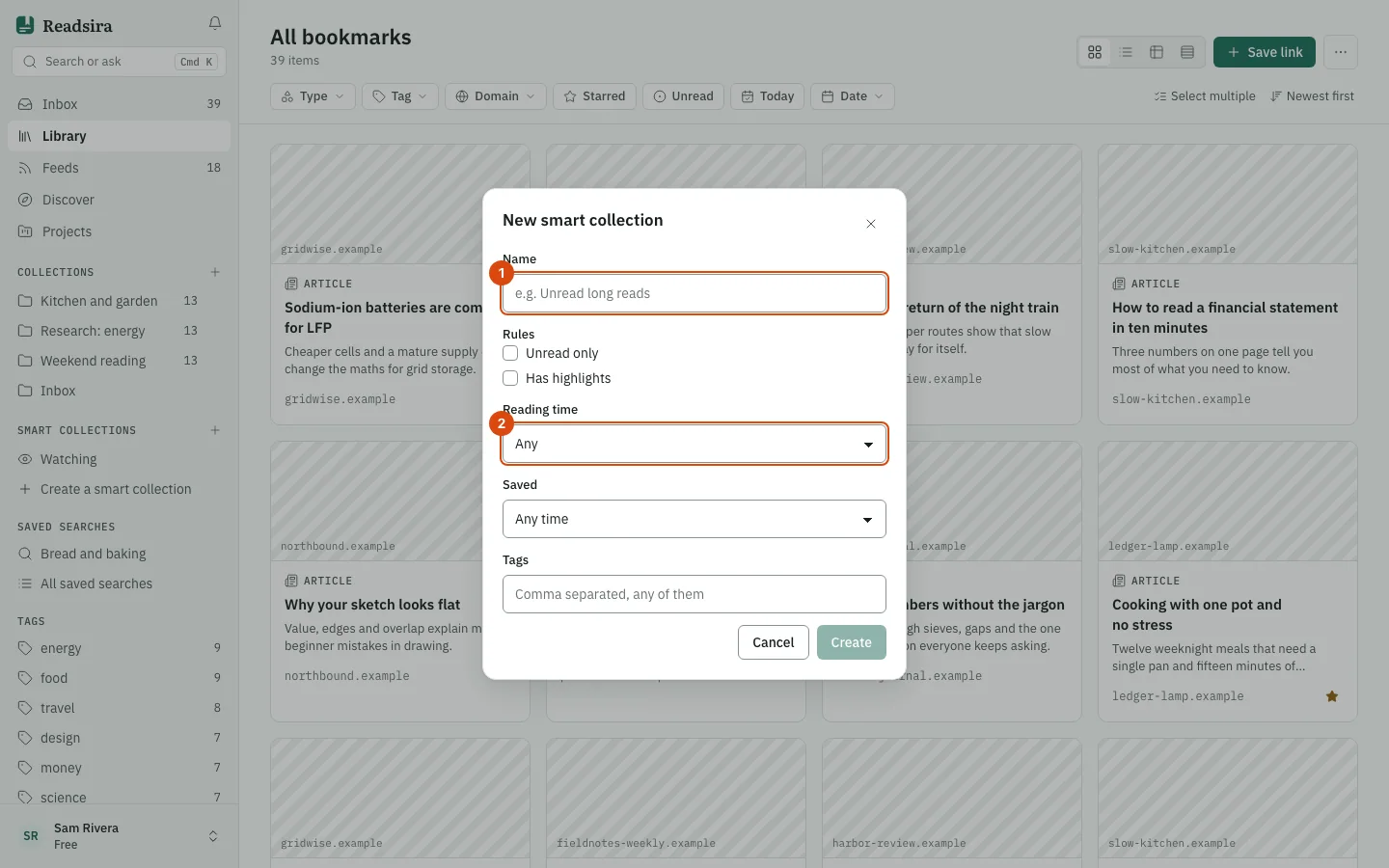
In the sidebar, under Smart collections, select Create a smart collection. If you already have smart collections, use the plus button next to the heading (New smart collection).
-
Type a Name, for example "Unread long reads".
-
Under Rules, set the rules you want:
- Unread only
- Has highlights
- Reading time: Any or at least 5, 10, 20, 30 or 60 minutes.
- Saved: Any time or the last 7, 30, 90 or 365 days.
- Tags: tags separated by commas. An item matches if it has any of them.
-
If you had Library filters on before you opened the dialog (type, site, collection, starred), the smart collection keeps them too. The dialog says so at the bottom.
-
Select Create. The new smart collection is in your sidebar with a count of matching items.
The button stays off until the name is filled and at least one rule is set.
Rename, pin or delete
Open the three-dot menu next to the smart collection in the sidebar and choose Rename, Pin to sidebar or Delete. Deleting a smart collection never deletes items.
Tips
- Archived items are always left out of a smart collection.
- Watching sits in the same group. It lists the pages you watch for changes.
- To be told when new items match a search, use a saved search instead.