Audio briefings
Available onProResearch
An audio briefing is a short two-voice conversation made from what you saved lately. Readsira writes the script and voices it, and the briefings appear in your private podcast feed.
Steps
-
Open
app.readsira.com/briefings/audio, or press Past audio briefings on the daily briefing page.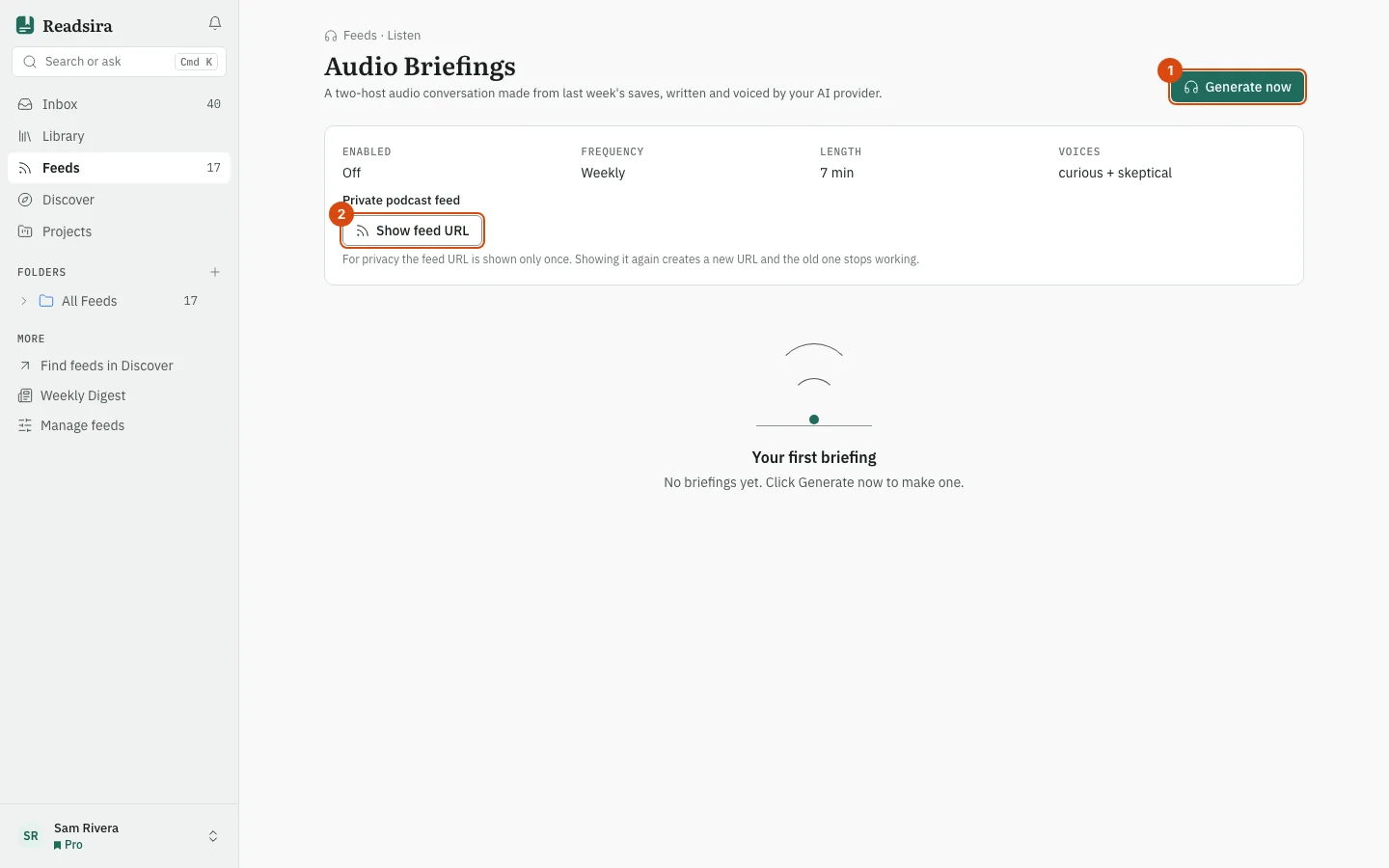
-
Press Generate now to make a briefing now. Its card shows Writing the script…, then Generating audio…, then ready.
-
When it is ready, play it in the card. Open Script to read the words.
-
To listen in a podcast app, find Private podcast feed and press Show feed URL, then confirm. Press Copy URL and paste the link into your app.
The page also shows your settings: Enabled, Frequency (Weekly, Daily or Off), Length and Voices (the two hosts). These settings are shown for information; the page has no controls to change them. Each card says whether it was Weekly, Daily or On demand, with its length, and how many items it covers.
Tips
- The feed link is shown only once. Showing it again, or pressing Rotate, creates a new link and the old one stops working, so every app using it must be paired again.
- A briefing that could not be made shows failed; press Generate now to try again.
- Limits differ by plan; see Plan limits.