Webhooks
Available onFreeProResearch
A webhook is a web address that Readsira calls when something happens in your library, for example when you save a link. You use it to connect Readsira to a script, an automation tool or a chat channel you control. Each message is signed, so your receiver can check that it really came from Readsira. If you write the receiver yourself, see Webhooks for developers for the payloads and the signature check.
Before you start
- You need a receiver: a public
https://address that accepts a POST request with a JSON body. Addresses on your own computer or private network (such aslocalhost) are refused. - Plan to store the secret that Readsira shows when you add the webhook. It is shown once.
Add a webhook
-
Open Settings and choose Webhooks. You can also open
app.readsira.com/settings/webhooks. -
Under Add a webhook, type your address in Receiver URL and select Add.
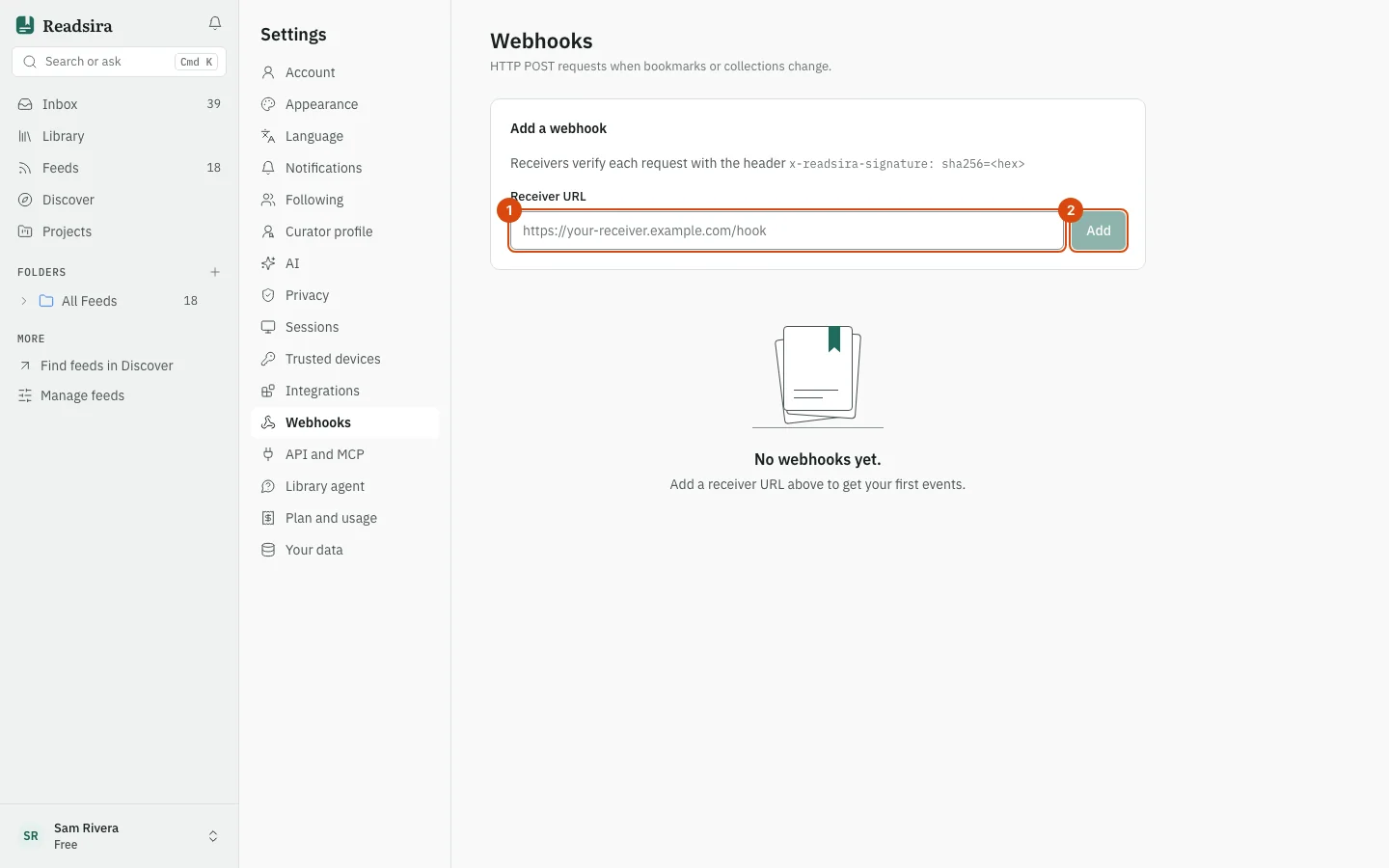
-
A box says Save this secret now. It won't be shown again. Copy the secret and keep it where your receiver can read it.
-
Choose the events you want under Events on the webhook's card. A new webhook starts with
bookmark.createdonly. -
Select Test. Readsira sends a test message now, and the badge on the card shows the answer of your receiver, for example
HTTP 200.
Events
| Event | When it is sent |
|---|---|
bookmark.created | You save an item |
bookmark.updated | An item changes |
bookmark.deleted | An item is deleted |
bookmark.visited | You open an item |
collection.created, collection.updated, collection.deleted | Listed in the app, but not sent yet |
output.created | A project output is ready |
Items that an import adds do not send webhooks.
What the badge on a card means
HTTP 200(or another 2xx number): the last call worked.- Another number, in red: your receiver answered with an error. The card shows the error text.
- pending first fire: Readsira has not called it yet. Use Test.
- disabled: the webhook is switched off.
When your receiver answers with a server error or does not answer within 5 seconds, Readsira tries again, up to 4 attempts in all, with longer pauses between them. Readsira does not follow redirects, so use the final address.
Manage a webhook
- Rotate secret makes a new secret. Your receiver fails its signature check until it uses the new one, so change it there at once.
- Disable pauses the webhook, and Enable starts it again.
- Delete removes it.
While an account deletion is waiting out its grace period, webhooks are paused (see Delete your account).