Create an account
Available onFreeProResearch
You create a free account with your name, your email address and a password. No card is needed. Readsira then emails you a link to confirm the address.
Before you start
- An email address you can open right now. The confirmation link is sent there.
- A password of at least 10 characters. A long phrase of unrelated words is better than a short one with symbols.
Steps
-
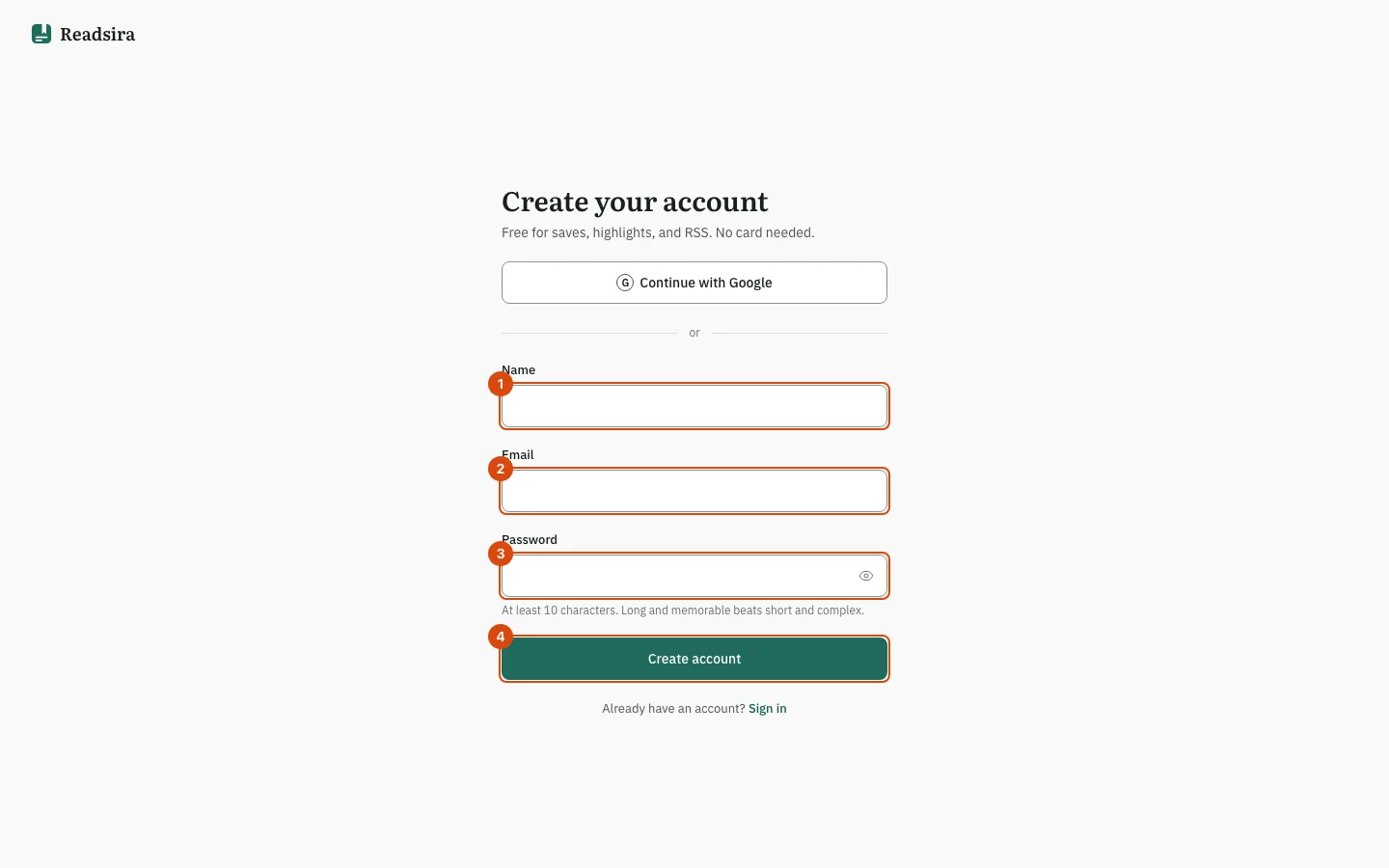
Open app.readsira.com/auth/register. The page is titled Create your account.
-
Type your name in Name. It is shown on your account, and it must have at least 2 characters.
-
Type your address in Email. Use the full address, such as
name@example.com. -
Type a password in Password. A hint under the field counts your characters and tells you if the password is fair, good or strong. Readsira refuses a password that appears in lists of leaked passwords.
-
Select Create account. A page titled Check your email opens and shows the address the link was sent to.
-
Open the email and select the link in it. It opens a page titled Email confirmed. Select Continue to start the tour.
The link works for 24 hours. If you open it on another device, you are signed in there.
If the email does not arrive
- Look in your spam folder.
- On the Check your email page, wait for the countdown next to Resend to finish, then select it. A new link is sent.
- If you typed the address wrong, select Use a different email and start again.
- Still nothing? See Troubleshooting.
Sign up with Google
On the same page, Continue with Google signs you up without a password. Other sign-in buttons (under More sign-in options) appear only for providers that Readsira has set up. Later you can add a password or connect more sign-in methods in Settings, Account.
Tips
- Do you have an account already? See Sign in.
- Coming from another reading app? You can import your library during the tour or later.