Outputs with citations
Available onFreeProResearch
An output is a document Readsira writes from a project's sources: a memo, a brief, a literature review, a comparison, or an answer to your own request. Each claim carries a number that points to the passage it rests on.
Before you start
- The project needs sources; see Sources, notes and decisions.
- Free plans can write a memo or a brief, and have one cited output per month. Pro and Research have all five types and more outputs per month; see Plans and limits.
Steps
-
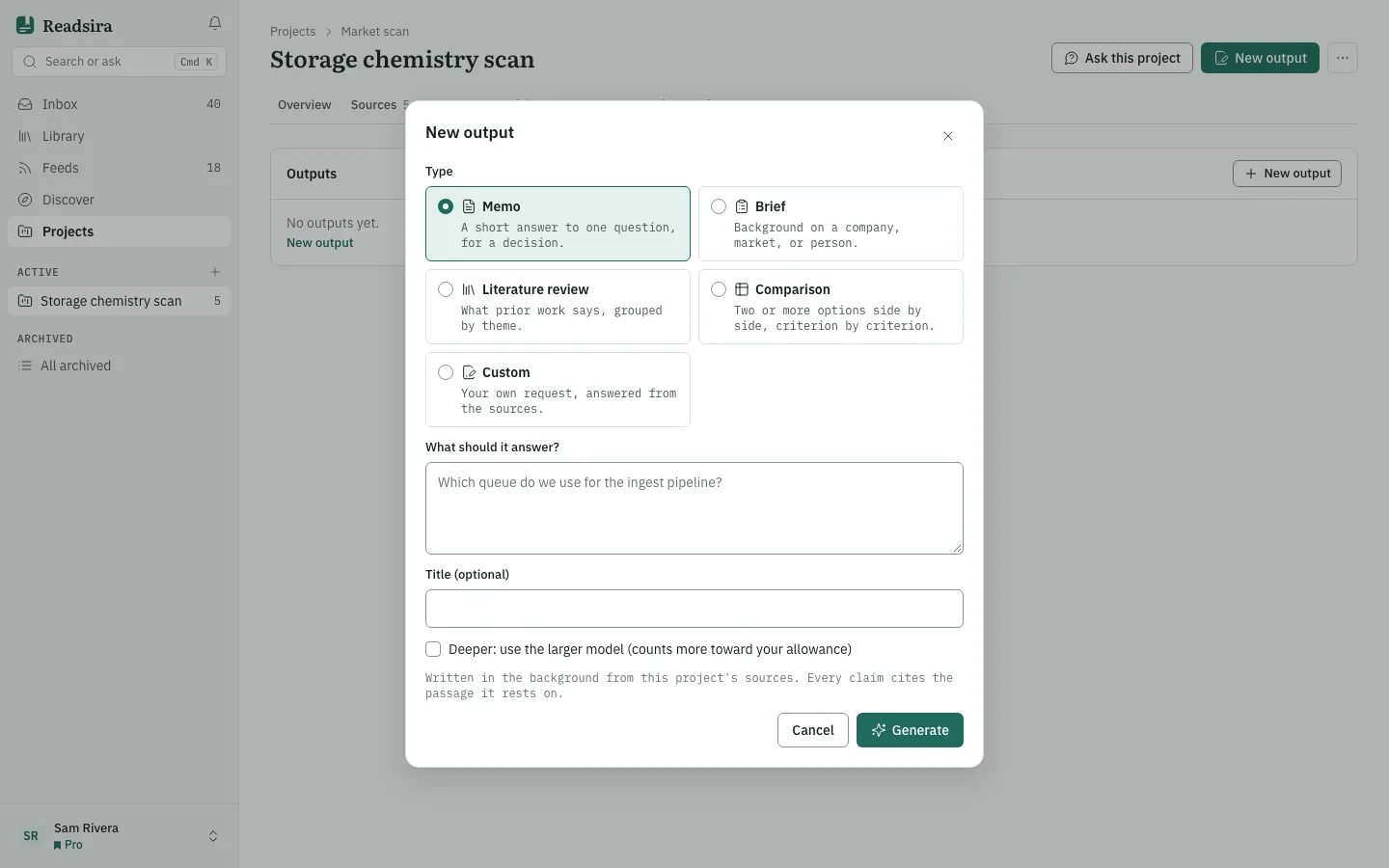
Open the project and choose the tab Outputs. Press New output.
-
Choose the Type:
- Memo: a short answer to one question, for a decision.
- Brief: background on a company, market or person.
- Literature review: what prior work says, grouped by theme.
- Comparison: two or more options side by side, criterion by criterion.
- Custom: your own request, answered from the sources.
-
Write what it should answer in What should it answer?. It is required for a custom output.
-
On a paid plan you can tick the box for a deeper output, which uses the larger model and counts more toward your allowance.
-
Press Generate. The output is written in the background from this project's sources. Its status goes from Queued to Writing to Done, and the page updates when it is ready. Stop stops it.
-
Open the finished output. Above the text it says how many claims are cited and how many have no source. The panel Sources and versions lists the sources cited.
Work with an output
- Regenerate writes a new version. Earlier versions stay in the Version history.
- Edit lets you change the text. Keep the [1], [2] markers to keep their citations. Saving creates a new version; the old one stays.
- Save as decision turns it into a decision that keeps the citations.
- Download .md saves it as a Markdown file.
- When sources changed or were added after a version was written, the page tells you how many, so you know it may be out of date.
- If writing fails, press Try again.
Tips
- A claim without a source is marked. Check it, or edit it out, before you share the document.
- Put the audience and what to prefer into the project's instructions once, and every output follows them.