Radar
Available onProResearch
Radar watches the feeds you follow for one project. New entries are matched against the project's sources and keywords, and a digest of what changed arrives weekly. Free plans have no projects with Radar; Pro and Research differ in how many; see Plans and limits.
Before you start
- Follow some feeds; Radar only looks at feeds you follow. See Follow and manage feeds.
- Add at least one source to the project. Radar cannot be turned on without one.
Steps
-
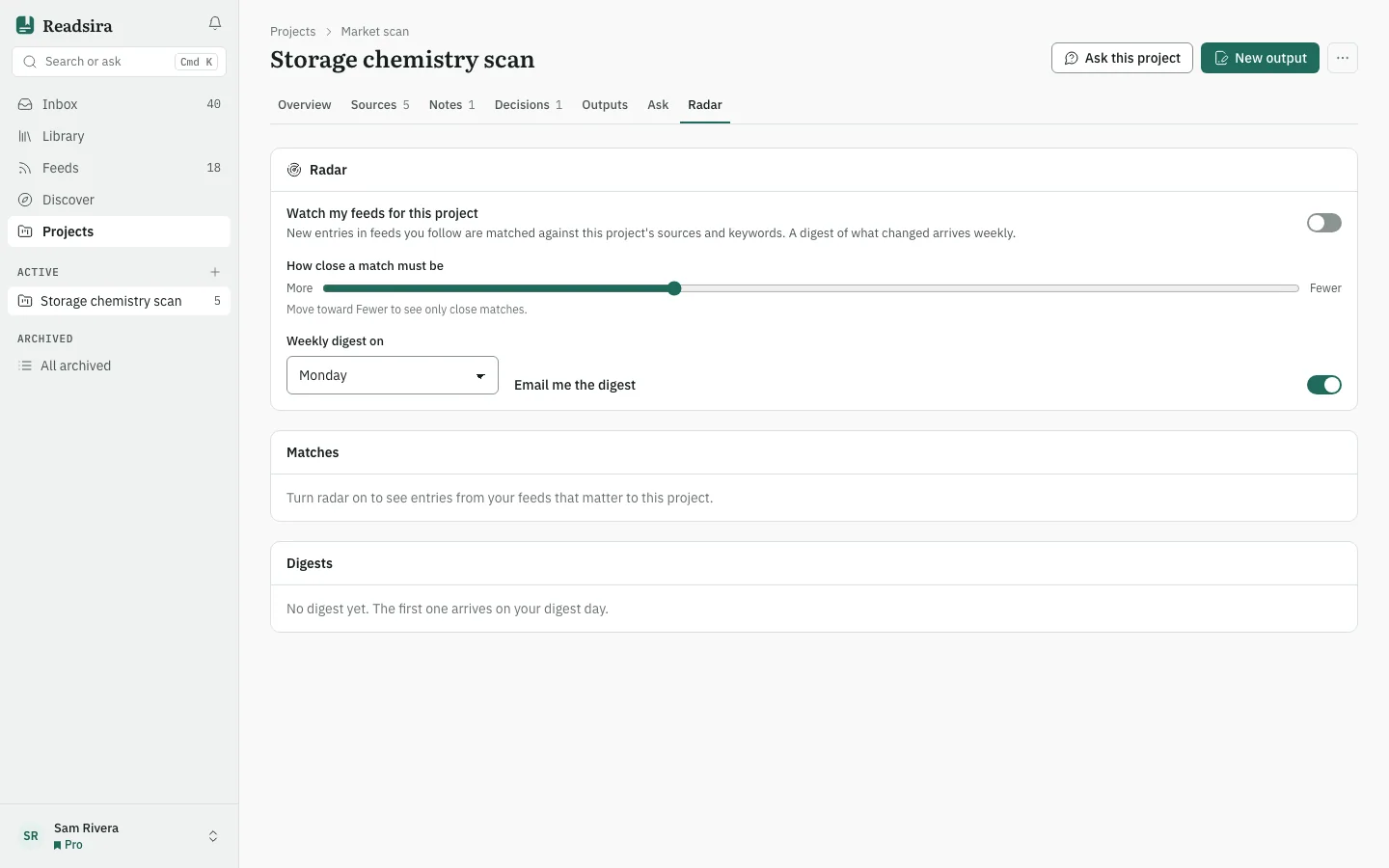
Open the project and choose the tab Radar.
-
Turn on Watch my feeds for this project. While the project profile is being made the tab says Building the project profile…. A line then shows how many of the project's sources the profile was built from.
-
Set How close a match must be. Move toward Fewer to see only close matches, or toward More to see more.
-
Choose the day under Weekly digest on, and turn on Email me the digest if you want the digest by email (it is on when you first open the tab).
-
Look at the list Matches. On a match, press Add to this project to put it into the project, or Not relevant to hide it. Radar learns from what you hide.
-
Open a digest under Digests. It says what changed that week, lists the items and gives a reason for each under Why it matters. Preview this week makes one now; you can ask for at most three previews per project per week.
Quiet weeks and missing summaries
- With no matching entries the digest says Nothing new this week.
- If your research allowance for the month is used up, the digest has no summary but still lists the items.
- If the summary cannot be written, the items are listed with a notice.