Notifications, digest emails and quiet hours
Available onFreeProResearch
Notifications controls what Readsira tells you and where: a digest that rounds up your reading, one email and push switch per kind of message, and a window in which push stays quiet.
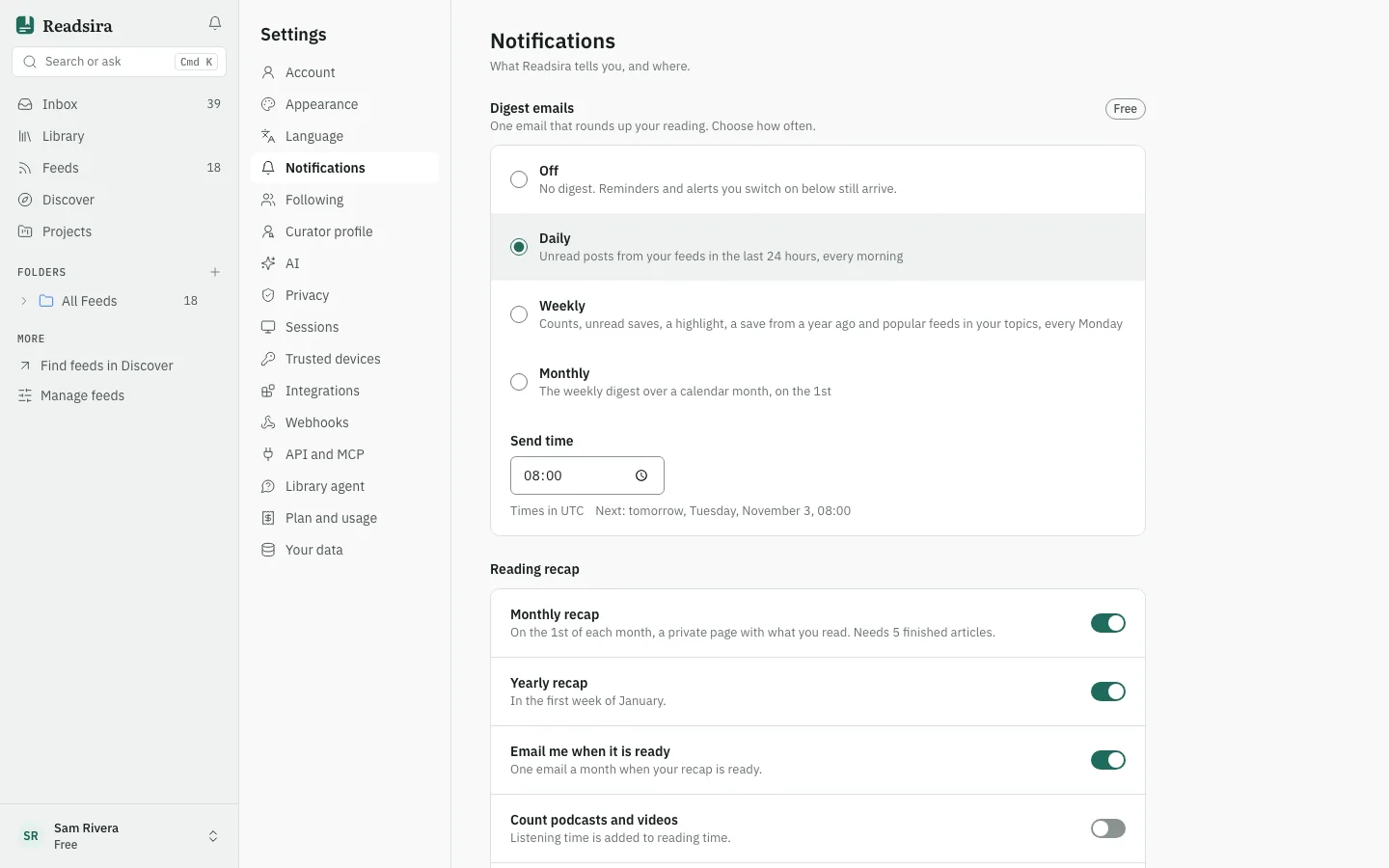
Open the page
- Open Settings.
- Choose Notifications.
Changes save as soon as you switch them. If a change does not save, the switch goes back and a message says so.
Set up the digest email
The Digest emails card sends one email that rounds up your reading.
- Choose how often: Off, Daily, Weekly or Monthly.
- Set the Send time. Times are on the quarter hour, and a time you type is rounded down to the quarter hour. The card shows the time zone it uses; press the "use this browser" button to switch to the zone of your browser.
- Check the line that starts with "Next". It shows the date and time of the next email.
What each choice sends:
- Daily on the Free plan: the unread posts from your feeds in the last 24 hours, every morning.
- Daily on Pro and Research: your briefing with three picks, every morning. On these plans you can also turn on Also send the weekly digest to get the weekly digest on Monday.
- Weekly: counts, unread saves, a highlight, a save from a year ago and popular feeds in your topics, every Monday.
- Monthly: the weekly digest over a calendar month, on the 1st.
Off sends no digest. Reminders and alerts you switch on below still arrive.
Choose what else Readsira sends
Below the digest, a table has an Email switch and a Push switch for each kind of message. A kind that has no push shows only the email switch.
| Message | What it is |
|---|---|
| Weekly radar digest | Monday 07:00, one email per project |
| Reminders | When a "remind me" comes due |
| Curator updates | A daily summary, never one per item |
| Feed posts | New posts from feeds you asked to be notified about. Email is a daily summary, push is every post |
| Watched pages | A page you watch changed. One email per change; push collects the changes of an hour |
| Import finished | With counts and any failures |
| Product news | At most once a month (email only) |
For Curator updates, the link Frequency per curator opens the Following section, where you choose how often you hear from each curator.
Turn on browser push
Push switches only deliver while push is on for the device you are using.
- Find the Browser push row at the end of the table.
- Switch it on and allow notifications when the browser asks.
If the browser has blocked notifications for the site, the row says so: allow notifications for Readsira in the browser settings, then switch the row on again. If the browser does not support push, the row says that instead. Push is off by default and is set per device.
Set quiet hours
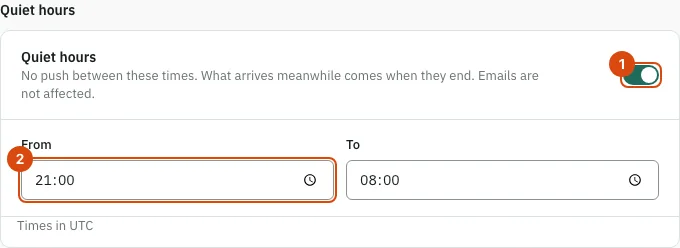
Quiet hours stops push between two times. What arrives in the meantime comes when the window ends. Emails are not affected.
- Switch on Quiet hours. The window starts as 21:00 to 08:00.
- Change From and To if you want other times.
- Check the time zone line under the fields. Readsira saves the zone of your browser.
Turn off all email
The last card, Email notifications, switches off every email on this page. Messages about your account, such as security alerts, are always sent. While it is off, the digest card says so and offers Turn on email.