Privacy and your data
Available onFreeProResearch
Privacy controls tracking, encrypted notes and muted sources. Your data lets you take everything with you. This page covers both, and says what Readsira keeps after you delete your account.
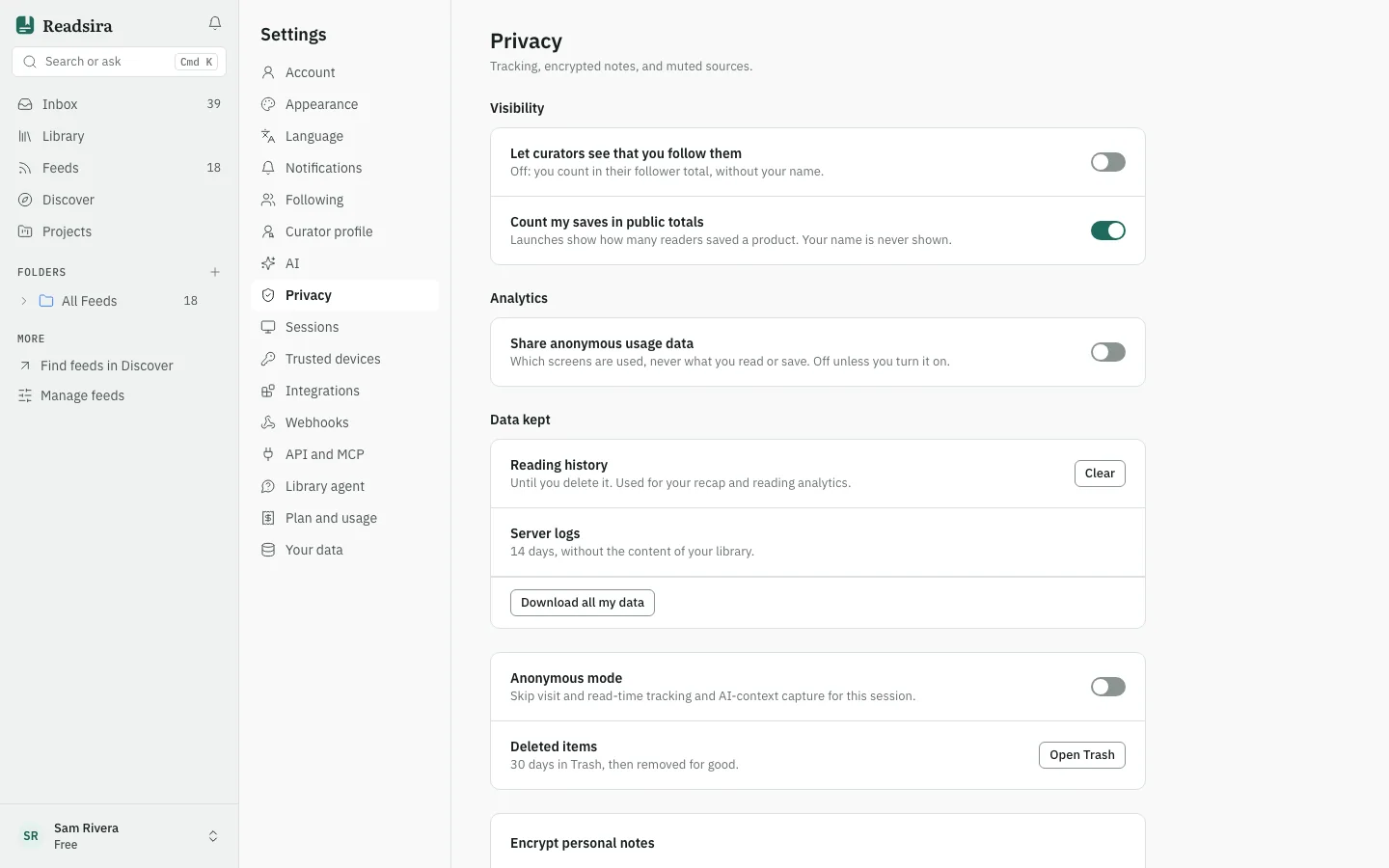
Choose your privacy settings
Open Settings and choose Privacy.
- Let curators see that you follow them: when off, you still count in a curator's follower total, without your name.
- Count my saves in public totals: Launches show how many readers saved a product. Your name is never shown.
- Share anonymous usage data: which screens are used, never what you read or save. It is off unless you turn it on.
- Reading history: kept until you delete it, and used for your recap and reading analytics. Press Clear and confirm to forget opens and reading progress. Your saves, read marks and notes stay.
- Server logs: kept 14 days, without the content of your library.
- Anonymous mode: skips visit and read-time tracking and AI-context capture for the current session.
- Deleted items stay in Trash for 30 days and are then removed for good. See Trash.
Encrypt personal notes
Encrypt personal notes encrypts notes on your device before they are sent. The key comes from your passphrase. If you lose the passphrase, encrypted notes cannot be read, by you or by Readsira.
- Enter a Passphrase of at least 8 characters.
- Press Unlock. New notes are now encrypted before they leave the device.
- Press Lock now to lock again.
Mute keywords and domains
Entries whose title contains a muted keyword are hidden, and entries from a muted domain are hidden
entirely. Type a word or a domain such as cnbc.com in Muted keywords or
Muted domains and press Mute.
Export your data
- Open Settings and choose Your data.
- Under Export your data, press the format you want. The file downloads at once. The "More formats" button shows the rest.
- In Privacy, the button Download all my data takes you to this same section.
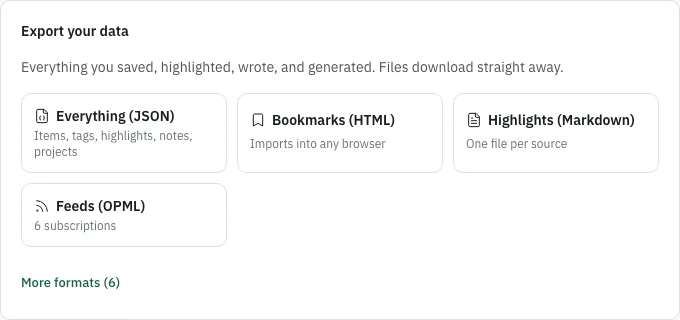
| Format | What you get |
|---|---|
| Everything (JSON) | Items, tags, highlights, notes, projects |
| Library (Markdown) | Every bookmark with notes and tags |
| Library (JSON) | Bookmarks with tags, for scripts |
| Library (CSV) | Opens in any spreadsheet |
| Obsidian | Markdown with YAML frontmatter |
| Logseq | Markdown with page properties |
| Notion | Plain Markdown for import |
| Bookmarks (HTML) | Imports into any browser |
| Highlights (Markdown) | One file per source |
| Feeds (OPML) | Your feed subscriptions |
The everything file holds what you saved, wrote and set up. It never holds secrets: passwords, sign-in sessions, API keys, webhook signing secrets and integration tokens are left out. Data that Readsira can recompute, such as search embeddings and generated summaries, is left out too.
To move data into Readsira instead, see Import your library.
What is deleted when you delete your account
When the grace period ends (see Delete your account), Readsira deletes your saves, highlights, notes, projects, outputs, collections, feeds, preferences, API keys, webhooks, integrations, uploaded files and your avatar. A shared copy of an article is deleted when nothing else points at it.
Other people's copies are theirs. If someone forked one of your public collections, the fork stays, and its credit changes to "deleted" with no name or link.
What is kept
- Invoices. Readsira cancels your subscription. Stripe keeps your customer record and invoices, because invoices are tax records that German law requires to be kept for 10 years. Stripe is the record for them; Readsira holds no invoice table of its own.
- A security log. Sign-in and admin audit rows stay for abuse detection, with your user id, email, IP address and browser removed.
- A trial marker. A one-way hash of your email, with no link to you, so that deleting and signing up again does not give a second trial.
- Request logs. Request metrics that name you are deleted. The request that deleted your account ages out with the 30 day log retention.
Tips
- Export before you delete. After the grace period there is no way back.
- Muting hides entries from view only; it does not unfollow a feed.