Knowledge gaps
Available onProResearch
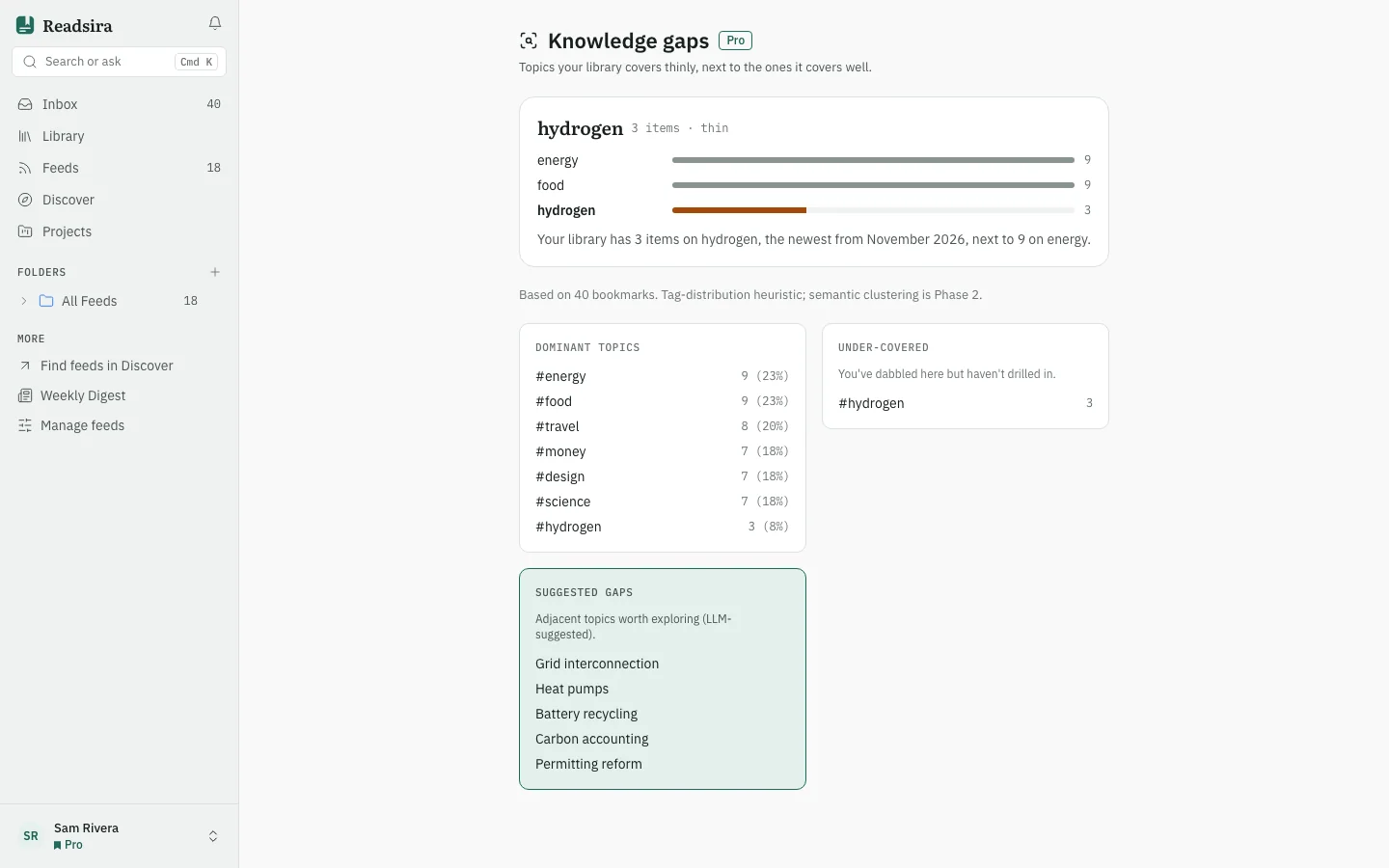
Knowledge gaps compares how deeply your library covers each topic. It shows the topics you save most, the ones you touched only a few times, and suggestions for what is missing.
Before you start
The report works from your tags, so tag your saves (see Tags). It needs at least 25 saved items. With fewer, the report is empty and says how many you have.
Steps
-
Open the search box (Search or ask) and choose Knowledge gaps.
-
Look at Dominant topics. These are the topics with the most saves.
-
Look at Under-covered. These are topics with two to four saves: "You've dabbled here but haven't drilled in."
-
Look at Suggested gaps. These are neighbouring topics the AI thinks your library is missing. They are suggestions, not facts about your library.
-
A gap card at the top names a thin topic, shows how many items it has next to the two best covered topics it is saved with, and when Discover has feeds that match, lists them under To fill it. Press View feed to look at one and follow it.
Tips
- A gap card needs a topic with two to four saves that is saved together with a better covered topic. When no topic fits, the page says No gaps this week.
- The report uses your tags as they are now, so tagging more saves changes it.