Reading queue
Available onProResearch
The reading queue is a ranked list of the things you decided to read. The first five are Next up, the rest are Later. Each row says why it has its place.
How items get into the queue
Items land in the queue when you choose Read now on them in the Inbox. Nothing else puts items there by itself. With no items the page shows Your queue is empty.
Steps
-
Open the search box (Search or ask) and choose Reading queue.
-
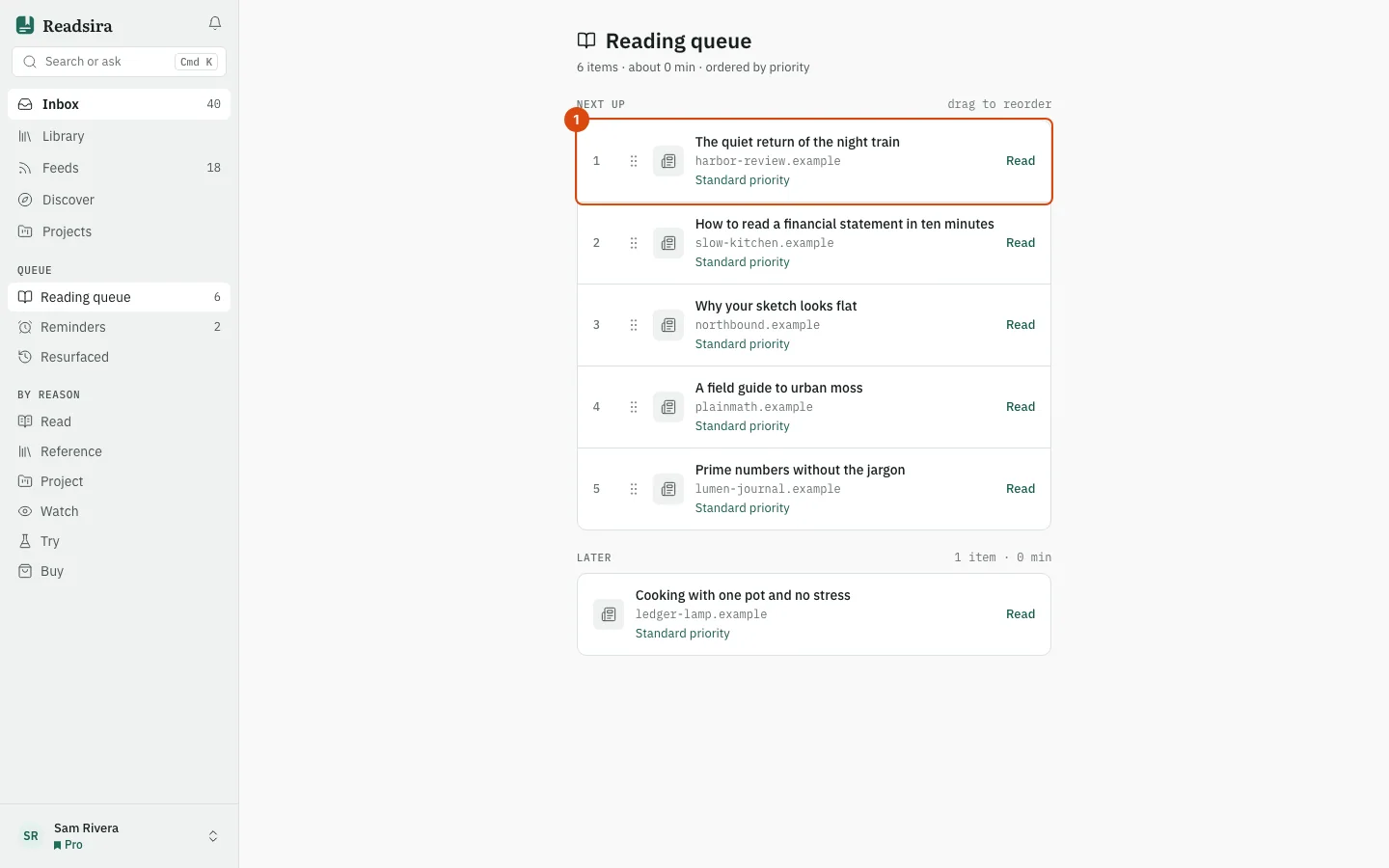
Read the rows under Next up. Each shows a number, the type, the title, the source with the reading time, and a short reason, for example "Quick read" or "Matches your interests". When nothing special applies the reason is "Standard priority".
-
To change the order, drag a row by its handle, or focus the handle and press Alt with the up or down arrow. The new order is saved at once, and a message tells you the new position.
-
To read an item, press Read on its row.
How the reason is chosen
Readsira gives every queued item a score from 1 to 10. It rises for high quality content, for topics and sources Readsira has seen you read, and for short reads of five minutes or less. The reason shows what raised it.