Ask your library
Available onProResearch
Ask a question and Readsira answers it from your own library: your saved items, the feeds you follow and the transcripts of your podcasts and videos. Each answer shows the passages it came from, so you can check it.
Before you start
- You need a Pro or Research plan. On Free the page shows an upgrade prompt and no question is sent.
- The number of answers per month depends on your plan. See Plans and limits.
Steps
-
Open the search box at the top of the sidebar (Search or ask), type your question and choose Ask your library. You can also open the page from the same box by choosing AI Chat in the list of places.
-
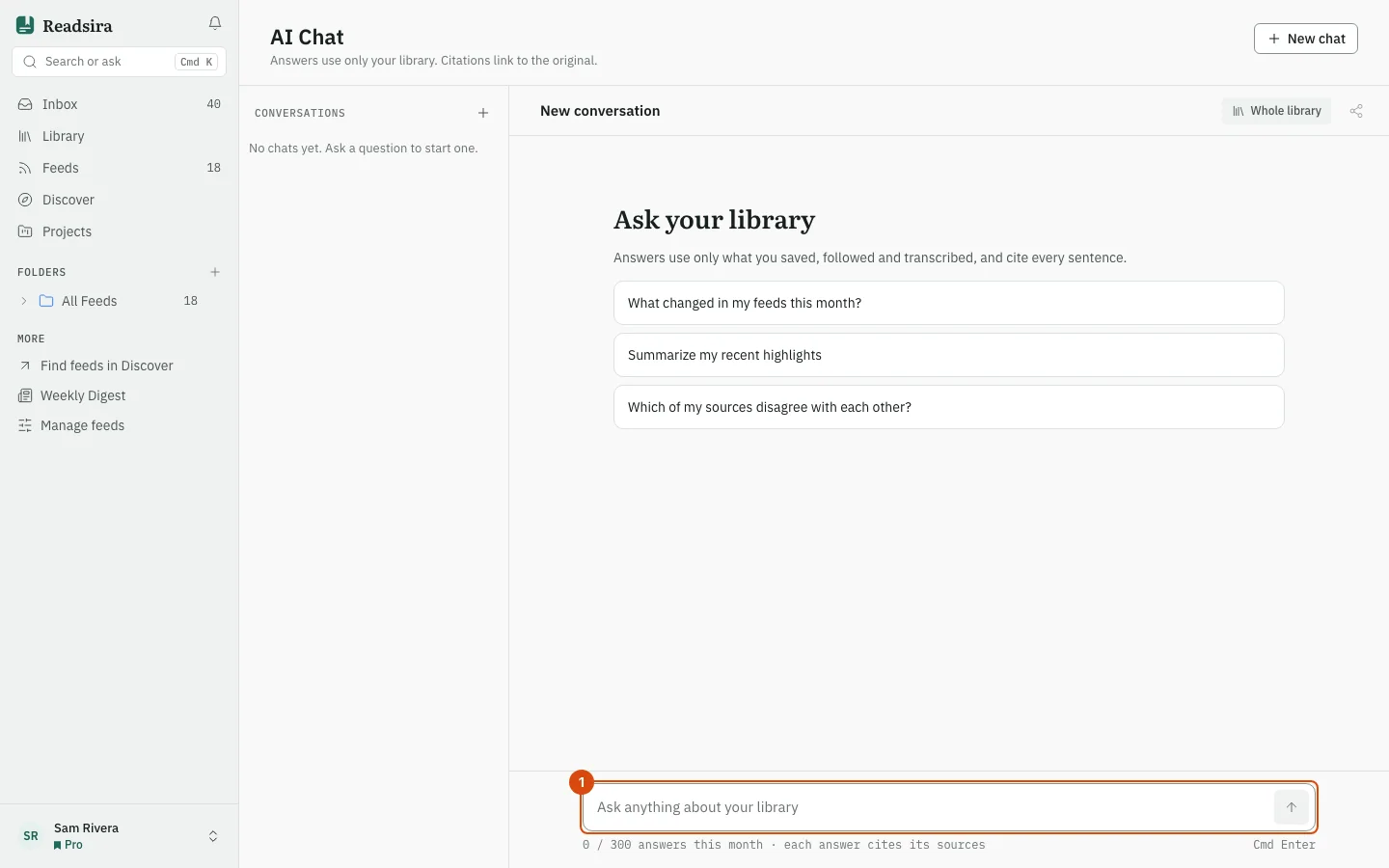
Write the question in the box at the bottom (Ask anything about your library). Press Send, or press Ctrl+Enter (Cmd+Enter on a Mac). On an empty chat you can also press one of the three suggested questions.
-
Wait for the answer. It appears word by word. Stop ends it early.
-
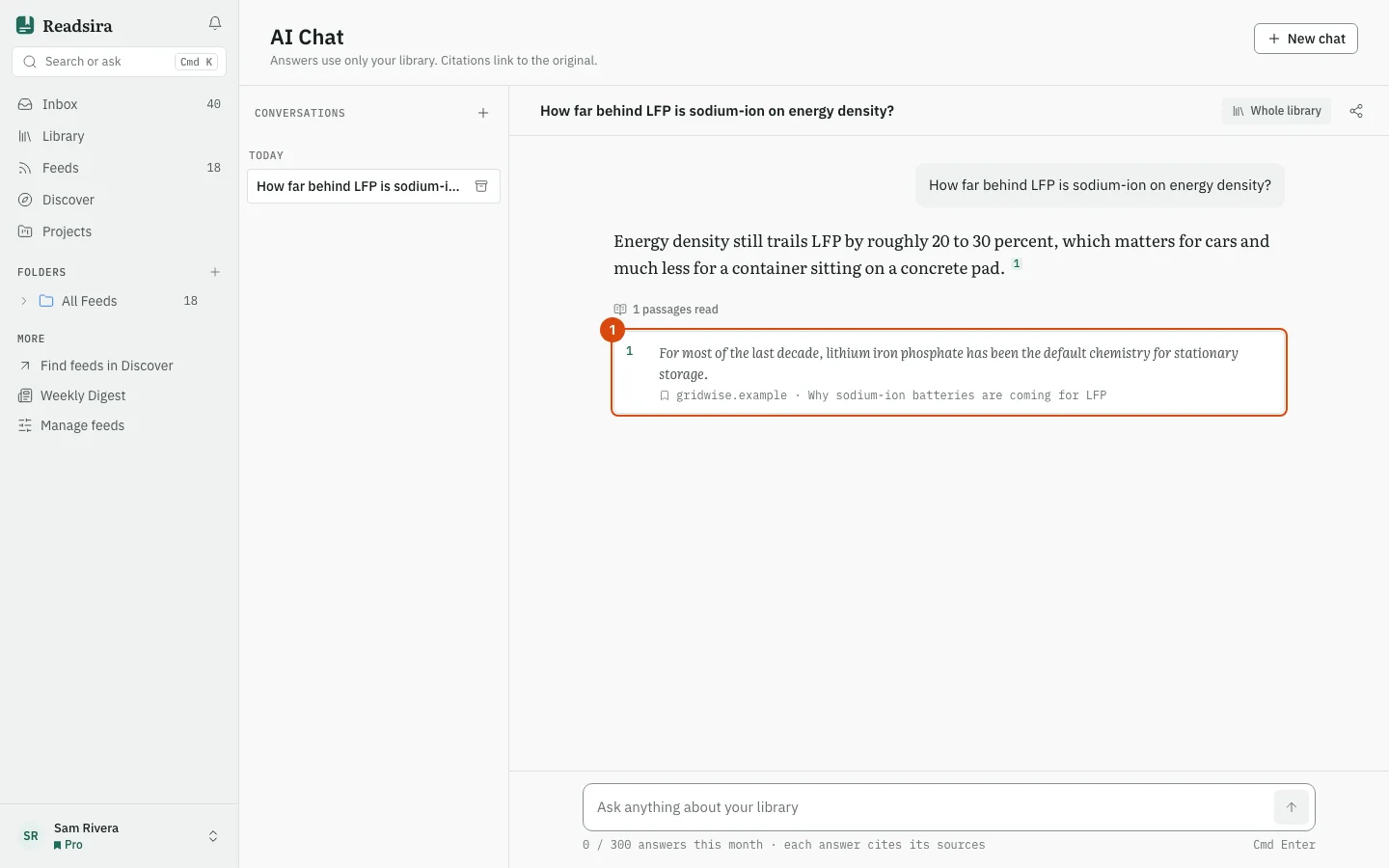
Read the answer. Numbers such as 1 inside the text point to the source list under it.
-
Press a source to open it. A saved item or a feed entry opens in Readsira; any other source opens its original page in a new tab. Under the answer, the line "passages read" tells you how many passages the answer used.
-
To ask a follow-up, write it in the same box. The conversation stays together.
-
To start something else, press New chat. Older chats are listed on the left under Today, This week and Earlier. Press the archive button on a chat to remove it from the list.
What the answers use
The answer scope is shown at the top of the chat: Whole library. Answers use only what you saved, followed and transcribed. If nothing in your library fits the question, there is nothing to cite, so a more specific question works better than a general one.
If an answer cannot be finished, the chat shows This answer could not be finished and keeps your question above it. No answer is taken from your allowance in that case; press Try again to ask again.
Your allowance
The meter under the box shows how many answers you used this month. At 80 percent a notice appears with the date the count starts again. When you have used them all, asking pauses until that date. Search and reading keep working, and your conversations stay. See what you used under Ask answers this month in Plans and limits.
In Settings, AI has the Model for answers and outputs and Language of answers choices; see Choose a model and use your own key.
Tips
- Ask one thing at a time. "Which of my sources disagree about battery cost?" works better than a list of five questions.
- To ask about a single article, open it in the reader and use its Ask tab. Answers there use only that article.
- Citations are only as good as your library. A topic you never saved cannot be cited.